
Find the times when everyone’s free
Co-Op Calendar, Co-Cal for short, is the planner for the group you already have. Everyone adds when they’re busy, and the app shows when you’re all free. Why you’re busy stays private unless you choose to share it.
- Coming soon to the App Store
- Coming soon to Google Play
In a private beta on iPhone now. If someone sent you an invite link, ask them to add you.

Say hi to Cal, the app’s co-pilot. He keeps what’s next in view. Meet Cal

What it does
- Your event names stay on your phone. Titles, places and notes never leave it; your group gets plain busy blocks; only labels you pick reach the people you choose.
- Free or busy by default. You choose who sees more, and what. Your group sees only when everyone is free, unless you choose to show someone more.
- Share your schedule with the people you choose, just the parts you pick. Tick the items a chosen member may see, with their labels; the rest stays private.
- See when your whole group is free. Everyone’s busy times combine into the windows when you’re all free.
- Propose a plan, and everyone answers yes or no. One tap each, and you know who’s in.
- Invite with a link. Send it to your group; they tap it to join.
- Works offline, encrypted on your phone. Your calendar is kept in an encrypted database, even without a connection.
- Saturday the 18th: everyone’s free. Your busy days and a friend’s, together: the day you’re both free lights up.

Meet Cal, your co-pilot
Cal is a groundhog in a pilot’s cap who flies along with your plans. Turn on a reminder for something in your schedule, and he tells you 15 minutes before it starts, or as it starts.
He never nags. A reminder you let go by isn’t sent again, he never says you’re late or sulks at you, and turning reminders off takes one tap.
- “Rise and shine, co-pilot.”
- “Next up is on approach.”
- “Cleared for takeoff.”
His widgets, on iPhone
Add Cal to your Home Screen and he shows one of his lines, with a countdown when something’s coming up. His sky follows the time of day, and his pose and line change as the day goes on.
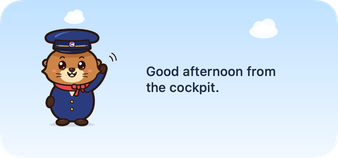
They go on the Lock Screen too, where they show only Cal, one of his lines and a countdown.
Nothing personal on a locked phone
Anyone can glance at a Lock Screen, so Cal’s widgets show only his own lines and how long until your next thing starts. Never what it is, who it’s with, where it is or how many things you have. Cal works on your phone, and nothing about him or his widgets is sent anywhere.
Dressed for the season
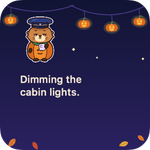
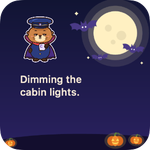
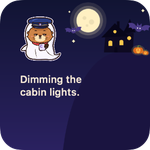
In Halloween week, October 24 to 31, Cal’s widgets dress up: a pumpkin suit, a bat cape or a ghost sheet, with a new costume and scene each day. Cute, never scary.
Private by design
Event names never leave your phone
Titles, places and notes stay on your phone. Our server sees only when you’re busy, rounded to 30 minutes.
Free and busy by default
Your group sees the times when everyone is free. Nobody sees why you’re busy unless you choose to share parts of your schedule with a person.
Plan together
Someone proposes one of the free times, and everyone says yes or no.
No advertising, no analytics, no tracking, and no selling of data, ever. Delete your account and your data is deleted, not hidden. Read the privacy policy.